JavaScript and Core Web Vitals: How to Optimize Performance for Search Engines

Updated · Mar 14, 2026


Table of Contents
Google penalizes very slow websites in search rankings, and JavaScript-heavy applications often suffer the worst performance hits. Core Web Vitals became official ranking factors in 2021, yet many websites still fail to meet the recommended thresholds. A slow-loading site can cost you thousands of visitors and potential customers every month.
What Core Web Vitals Mean for Your Website
Core Web Vitals consist of three metrics that measure how users experience your site. Largest Contentful Paint shows how quickly your main content appears on screen. First Input Delay tracks how fast your site responds when someone clicks a button or link. Cumulative Layout Shift measures whether elements jump around unexpectedly while the page loads.
JavaScript affects all three measurements. Heavy scripts slow down how quickly content appears and how fast your site responds to clicks. When JavaScript adds content without planning for the space it needs, elements shift and frustrate users.
Freshcode, a JavaScript app development company, helps clients optimize these metrics to improve their search rankings and user experience. The connection between site speed and search visibility has become crucial for online success.
Making Your JavaScript Files Smaller
Large JavaScript files are the main reason websites load slowly. Modern web applications often require users to download huge amounts of code before they can see anything on screen.
Loading Code When You Need It
Code splitting breaks your application into smaller pieces that load separately. Instead of forcing visitors to download everything at once, you can send them a small initial file and load additional features only when needed. This makes your site feel much faster from the moment someone arrives.
Lazy loading delays non-essential elements until users actually need them. Images and videos below the visible area can wait to load until someone scrolls down. This approach lets the important content appear quickly while less critical elements load in the background.
Route-based splitting sends different code for different pages. Someone reading your blog does not need the shopping cart code, and someone on your homepage does not need your account settings. This keeps each page lean and focused.
Removing Unnecessary Code
Tree shaking removes code you are not actually using. Many JavaScript libraries include dozens of features, but you might only need a few of them. Modern tools can automatically detect which parts you use and eliminate the rest.
Minification compresses your code by removing spaces, shortening names, and optimizing how it is written. The version you write for development is easy to read, but the version sent to users should be as compact as possible.
Dead code elimination goes further to remove code paths that never actually run. Old features you replaced, compatibility fixes for outdated browsers, and experimental code you never finished can all bloat your files unnecessarily.
Choosing Lighter Libraries
Third-party packages often add more weight to your site than your own code. A single library can bring along many dependencies, each adding to the total download size. Tools exist to help you check how heavy a package is before you add it to your project.
Lighter alternatives often exist for popular libraries. Some date-handling libraries let you import only the specific functions you need instead of the entire package. Some utility libraries work better with modern optimization tools.
Regular reviews keep your dependencies lean. Remove packages you stopped using, update to newer versions with better performance, and consider whether you actually need a library for simple tasks you could handle yourself.
Checking Your Performance
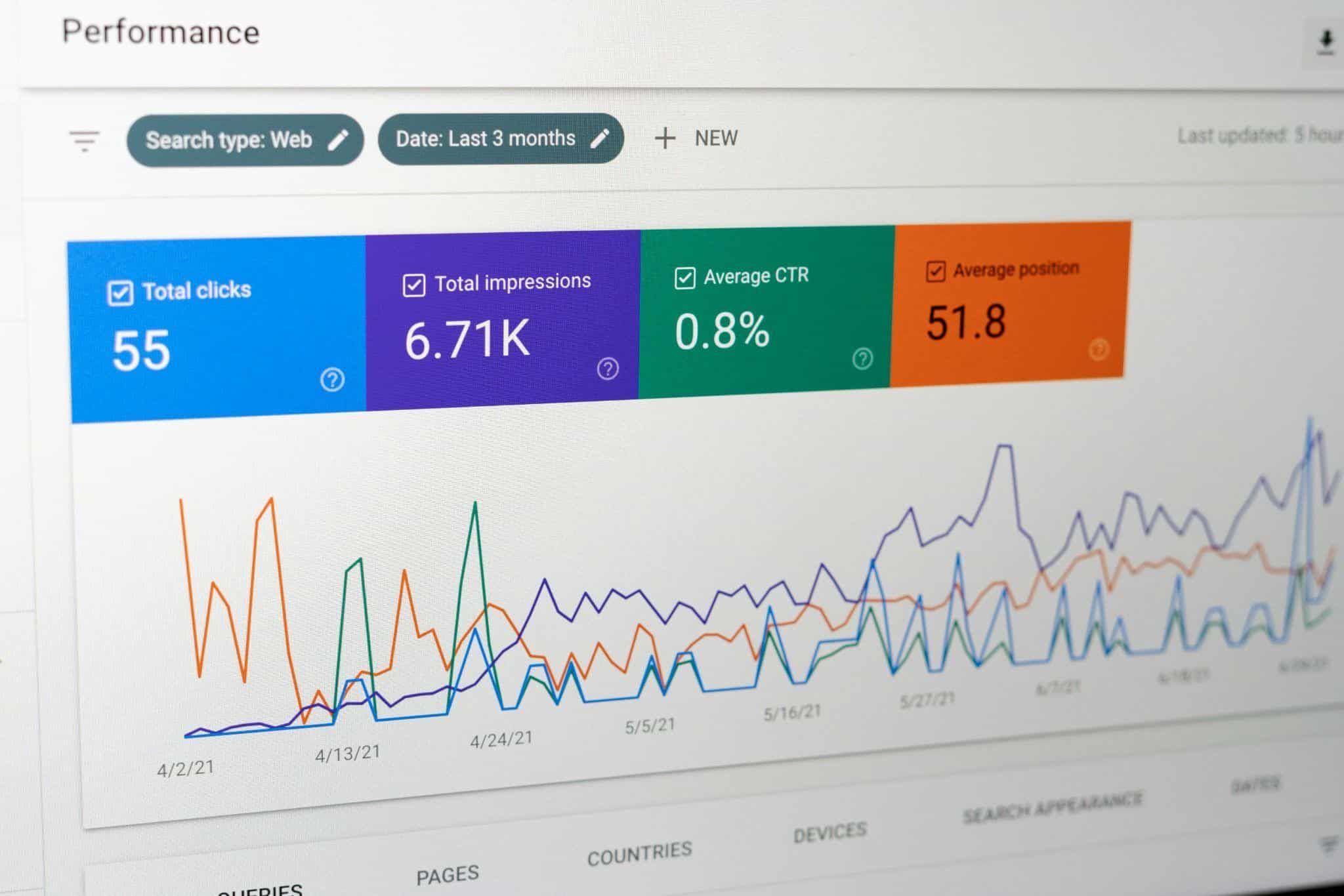
Improving performance requires measuring results and making adjustments. Monitoring real user experiences shows how your site actually performs, while testing tools help identify specific problems.
Performance Testing Tools
Lighthouse creates detailed reports on all Core Web Vitals metrics. This free tool built into Chrome provides specific recommendations for improvement. It tests your site under various conditions to reveal bottlenecks.
WebPageTest offers advanced testing options. You can check performance from different locations, on different devices, and under different network conditions. Visual reports show exactly when and why slowdowns occur.
Chrome User Experience Report provides real-world data from actual Chrome users. This shows how your site performs under genuine usage conditions across different devices and connection speeds.
Setting Performance Standards
Performance budgets establish limits before problems develop. You decide maximum file sizes, image weights, and script counts that align with your speed goals. Automated checks can prevent slow code from going live.
Budget categories should support your Core Web Vitals targets:
- Maximum JavaScript file sizes for fast loading
- Total page weight limits for mobile users
- Restrictions on third-party scripts
- Image size limits based on where they appear
- Font file limits with required optimizations.
Continuous monitoring catches problems early. Alerts notify your team when performance drops, allowing quick fixes before search rankings suffer.
Building Long-Term Performance
Core Web Vitals optimization needs ongoing attention and commitment. Performance cannot be a one-time fix that teams complete and ignore. Search algorithms change, user expectations rise, and applications grow more complex.
Investing in JavaScript optimization helps beyond just search rankings. Faster sites keep users engaged longer, convert more visitors into customers, and cost less to run. Users on slower connections and older devices benefit most from these improvements, expanding your potential audience. Better search visibility follows naturally from delivering genuinely better experiences.

Aruna Madrekar is an editor at Smartphone Thoughts, specializing in SEO and content creation. She excels at writing and editing articles that are both helpful and engaging for readers. Aruna is also skilled in creating charts and graphs to make complex information easier to understand. Her contributions help Smartphone Thoughts reach a wide audience, providing valuable insights on smartphone reviews and app-related statistics.