Stellar Converter for OST – The Reliable OST Processing Tool for Work and Personal Mailboxes

Updated · Dec 26, 2025


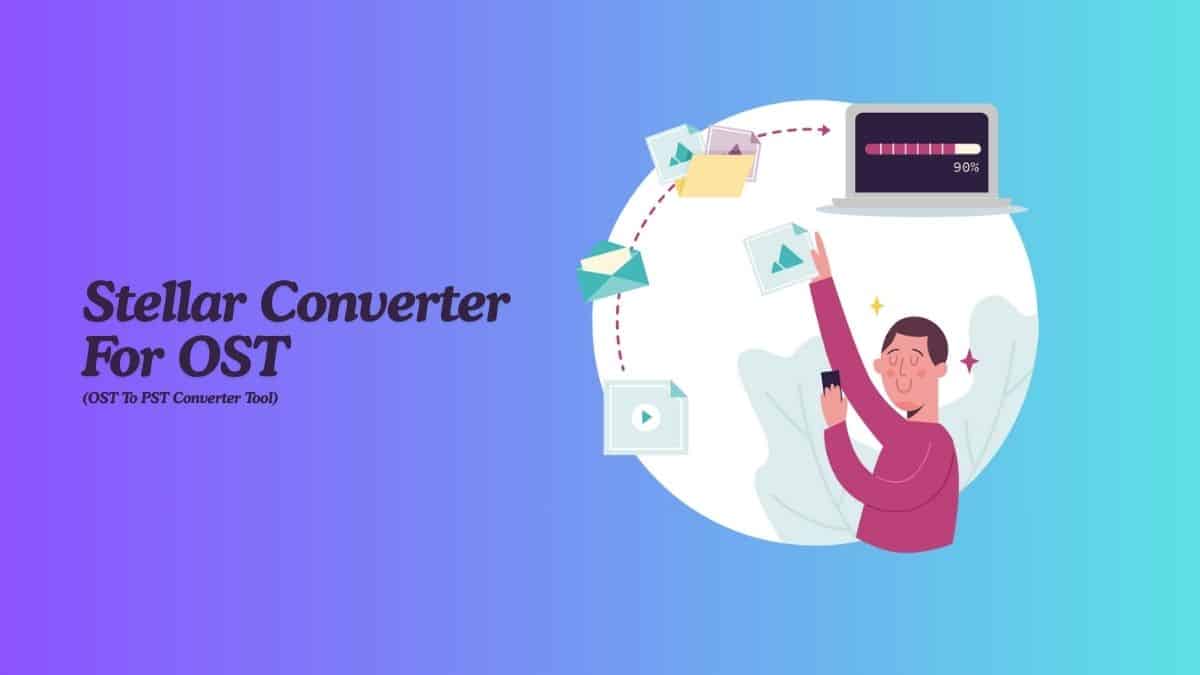
Table of Contents
Introduction
Stellar Converter for OST software helps users, IT staff, and businesses open and convert data from inaccessible or orphaned Outlook OST files to PST file. It converts OST files to usable formats so you can open emails, attachments, contacts, calendars, tasks, notes, and more, even when Outlook profiles are corrupted or not connected to the mail server.
The tool supports Outlook 2007, 2010, 2013, 2016, 2019, 2021, and Office 365 (64-bit). This review provides a simple overview of this OST to PST Converter and system requirements, and includes links to the Installation Guide, User Manual, and other help articles.
Editor’s Choice
- The most recent release of Stellar Converter for OST is version 13.0.0.1, released on November 10, 2025.
- This program was first listed in our database on April 16, 2019.
- Stellar Converter for OST runs on Windows, and the setup file is small, at about 22.4 MB. It also works on Parallel (macOS).
- Stellar converts inaccessible, encrypted, or orphaned OST files to PST, preserving structure and data.
- Many MVPs, Edward, Joseph, Frank, Vinicius, and Giuliano, reviewed the software, recommended software for anyone looking to efficiently convert OST files to PST format.
- Software Informer reports that Stellar Converter for OST can handle very large OST files (about 50 GB or more) without freezing, crashing, or slowing down.
- The software works on 64-bit versions of Windows 11, Windows 10, Windows 8.1, and Windows 8.
- It also lets users preview converted mail items clearly in a simple three-pane layout.
Key Features
- Fast OST-to-PST conversion: Converts inaccessible, encrypted, or orphaned OST files to PST, preserving structure and data.
- See data before you save: After scanning, the software displays folders in the tree view, allowing you to open emails and attachments.
- Convert only what you need: Users did not need to export everything; they selected folders or items to convert.
- Different save formats: Users saved converted data as PST, EML, RTF, PDF, and HTML.
- Works well with large OST files: The software handles large OST files over 45 GB smoothly, without freezing, hanging, or crashing.
- Auto Splitting: Over 45 GB, it gives an option for auto-splitting the file.
- Simple Outlook interface: It guides users through each step and is comfortable even for non-technical users.
- Keeps folder order and data safe: During conversion, the PST file preserves the same folder structure and formatting as the original mailbox, so data remains safe and organized.
- Wide compatibility: The software works with Outlook versions 2007 to 2021 and runs smoothly on Windows 11, 10, 8.1, 8; also works on Parallel.
OST to PST: Quick Guide
Step 1:
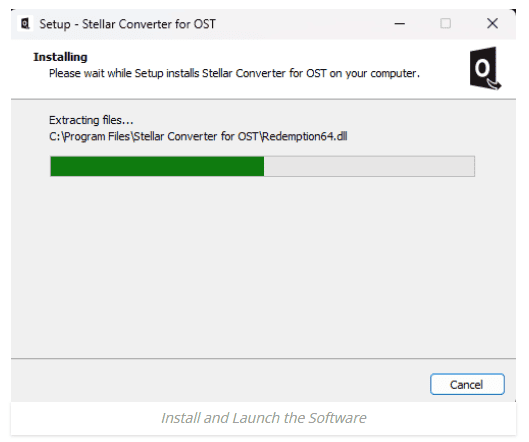
- Install Stellar Converter for OST on a PC or laptop; setup completes quickly.
- When you open it, a dialogue appears prompting you to select an OST file.
Step 2:
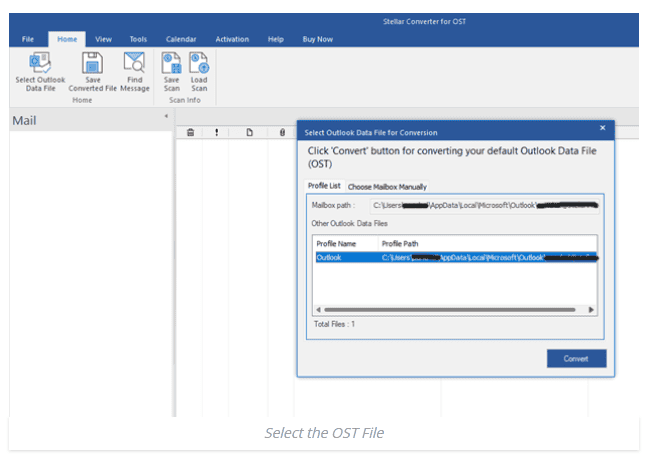
- If you know where the OST file is, click Browse to add it.
- Otherwise, click Find to have the software search automatically.
Step 3:
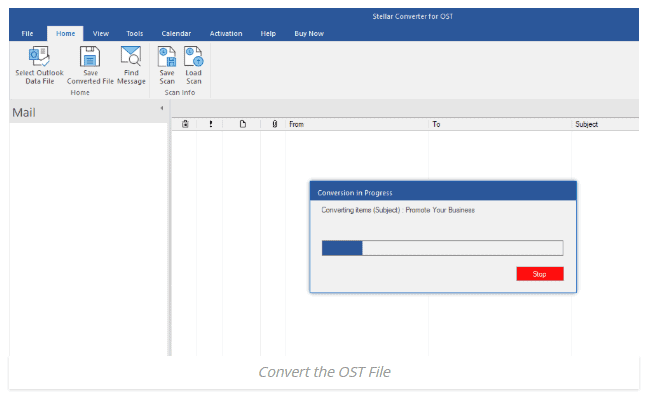
- After selecting the OST file, click Convert to begin the conversion.
- A progress bar shows “scan,” which takes longer for larger files.
Step 4:
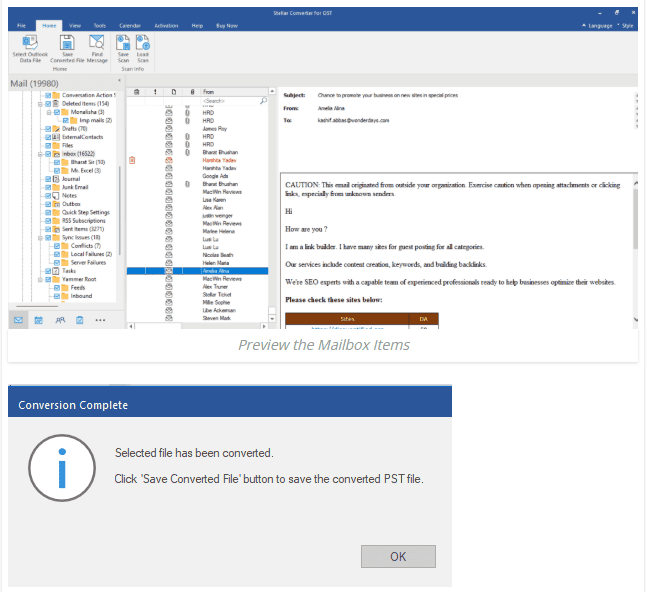
- After scanning is complete, the software displays mailbox items in a view similar to Outlook.
- You can open folders, read emails, and review attachments before saving.
Step 5:
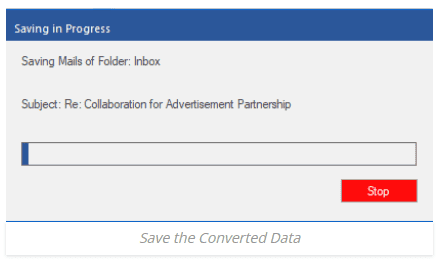
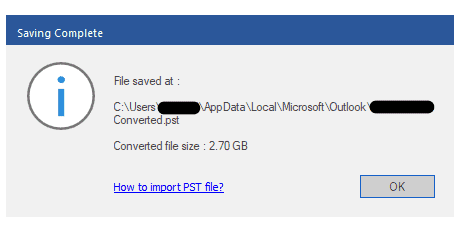
- Click the Save Converted File button in the program.
- Choose PST as the format and pick a folder location.
- Hit OK, and the new PST becomes ready in Outlook.
Quality and Accuracy
- At first, the user was more concerned with how accurate the conversion would be than with whether it would work.
- Many tools can convert an OST file to a PST file, but they often break links, lose attachments, or change the mailbox layout.
- After testing this tool on several OST files, the user was pleasantly surprised.
- The folder tree was copied exactly as in the original mailbox.
- HTML and RTF emails retained their original look.
- Inline pictures displayed correctly.
- All attachments stayed linked to their emails.
- Calendar items were set to the correct time zone.
- Contacts transferred completely and cleanly.
- On G2, vendors and reviewers call its email, attachment, calendar, task, and contact conversions 100% precise, even from encrypted OST files.
Analyses by Capacity and Performance
- Software Informer reports that Stellar Converter for OST can handle very large OST files (about 50 GB or more) without freezing, crashing, or slowing down.
- In a DevDojo benchmark, a 2.95 GB OST file grew to 3.81 GB in about 7 minutes and 48 seconds on a Windows 11 PC.
Customer Review
| Category | Rating |
| Customer service | 4.9/5 |
| Ease of use | 4.8/5 |
| Performance | 4.8 |
| Quality | 4.8 |
| Value for money | 4.7 |
Advantages and Disadvantages
| Advantages | Disadvantages |
|
|
Conclusion
Stellar Converter for OST provides a reliable way to access data from orphaned, or inaccessible OST files. It converts mailbox data safely and accurately, preserving the folder structure, emails, attachments, and other items. The user can handle large OST files, choose from different saving formats, and use extra migration options in the Technician edition. Overall, the software helps users quickly and securely convert OST to PST, migrate data from OST to Office 365 and Microsoft 365.

Maitrayee Dey has a background in Electrical Engineering and has worked in various technical roles before transitioning to writing. Specializing in technology and Artificial Intelligence, she has served as an Academic Research Analyst and Freelance Writer, particularly focusing on education and healthcare in Australia. Maitrayee's lifelong passions for writing and painting led her to pursue a full-time writing career. She is also the creator of a cooking YouTube channel, where she shares her culinary adventures. At Smartphone Thoughts, Maitrayee brings her expertise in technology to provide in-depth smartphone reviews and app-related statistics, making complex topics easy to understand for all readers.